From iPhone Video to Photorealistic 3D Digital Twin - Developer Spotlight on Solaya

Welcome to the seventh edition of Developer Spotlight, a series of blog articles where we talk to developers about how they use PlayCanvas and showcase the fantastic work they are doing on the web.
Today, we are excited to be joined by Massimo and Mariem from Solaya, a French deeptech startup that turns a short iPhone video into a photorealistic 3D digital twin, ready for the web in under an hour. Solaya renders its Gaussian splats with the PlayCanvas Engine, and brands such as Karl Lagerfeld and Rimowa already use it for their e-commerce content.
- Company: French deeptech startup, founded in Nice in April 2024
- What it does: Turns a smartphone video into a photorealistic 3D digital twin
- Core technology: 3D Gaussian Splatting, rendered on the web with PlayCanvas
- Capture: Under 3 minutes, as a 360° walk-around scan with the Solaya: 3D Scanner Pro app for iPhone Pro
- Processing: Under 1 hour to a web-optimized asset
- Typical asset size: 30–60 MB, optimized for mobile browsers
- Outputs: Embeddable web viewer (e.g. Shopify),
.plyexport for Adobe After Effects and Houdini, and AI-generated videos and packshots - Clients: Karl Lagerfeld, Rimowa, LVMH, Mattel
- Founders: Massimo Moretti (CEO) and Mariem Farhat (COO)
Welcome to our Developer Spotlight! Tell us a bit about yourselves and your journey into the world of 3D and AI.
Massimo: My career has always been about performance and speed, first as an athlete, then for more than a decade in business development in the luxury and deep-tech sectors. I spent much of that time helping early-stage startups meet the high standards of luxury brands. I saw firsthand how houses like Louis Vuitton struggled with the friction of traditional content creation. Moving into 3D and AI was a natural step, because it is the best tool we have for bridging a physical product and its digital experience.
Mariem: I come from the other side: engineering and scale. I spent over 10 years managing complex technical systems and e-commerce operations at Fortune 500 companies, including Amazon. In e-commerce, bottlenecks are the enemy. When we looked at 3D, we saw a huge one. Creating high-fidelity assets was too slow, too manual and too expensive. My goal was to apply what I knew about scalable technology to the creative process and make 3D as simple as taking a photo with your phone.
Together, Massimo and Mariem have built a team of specialists in 3D deep learning, computer graphics and 3D Gaussian Splatting.
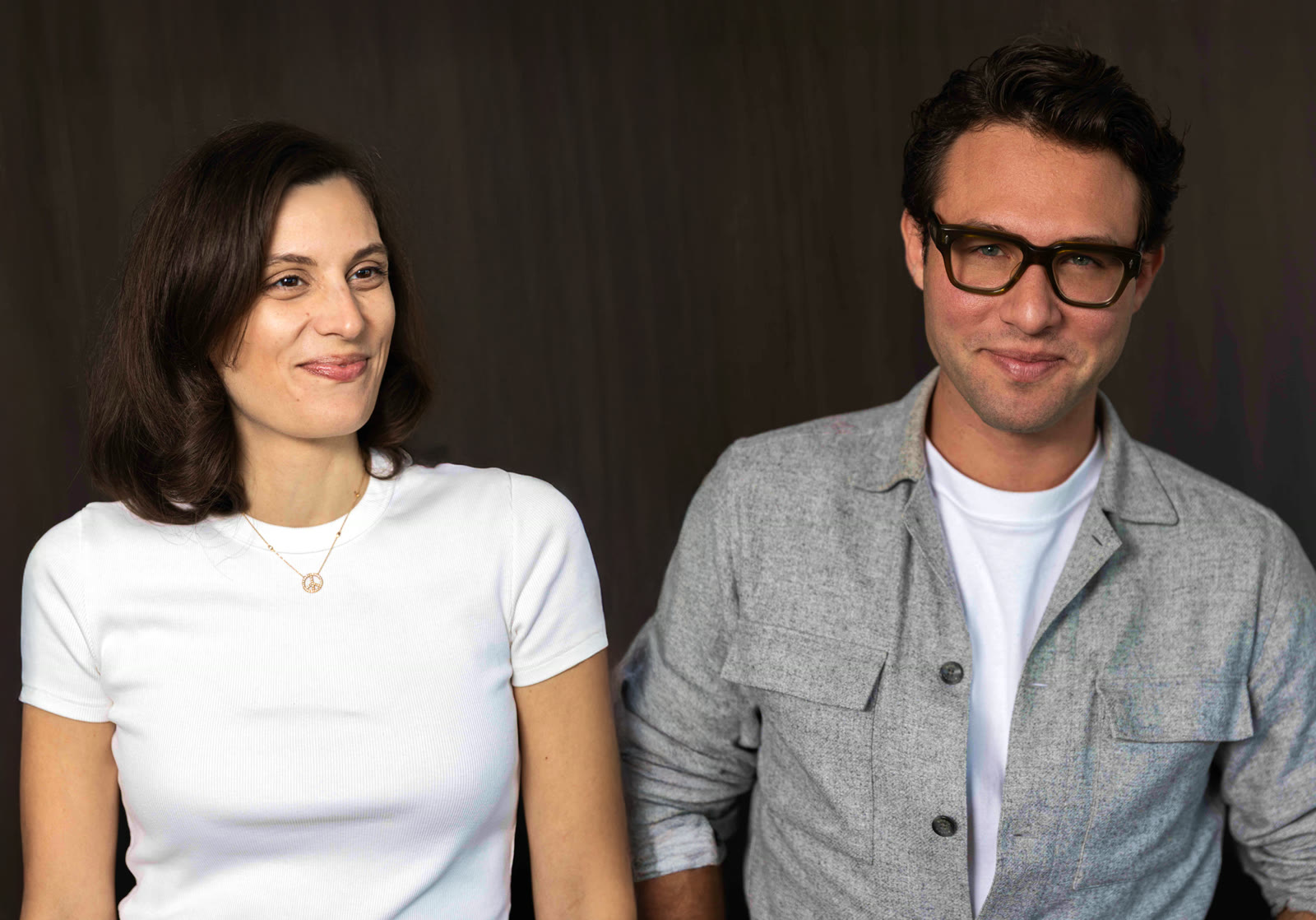
Solaya co-founders Mariem Farhat (COO) and Massimo Moretti (CEO)
What is Solaya, and what problem does it solve?
Solaya is a fully integrated pipeline that turns an iPhone video into a high-fidelity 3D digital twin. The digital world is moving toward 3D: online shopping, gaming, VR. But making 3D models is still hard, slow and reserved for a small group of professionals. That's the problem we solve.
You scan an object with the Solaya 3D Scanner app, and it becomes a high-quality 3D model. The real value comes after that. The 3D model becomes a content engine. You can generate unlimited high-end videos, professional packshots and entire marketing campaigns without picking up a camera again. We're making 3D as easy, and as useful, as a standard photo.
How do you create a 3D model with Solaya?
Going from a physical object to a web-ready 3D asset takes about an hour and needs no special rigs or expertise.
- Scan: Open the Solaya app on an iPhone Pro and walk around the object for a 360° capture. This takes less than three minutes.
- Reconstruct: Our proprietary pipeline analyzes lighting and geometry and builds a 3D Gaussian Splatting model in under an hour.
- Publish or export: You get a lightweight, web-optimized asset you can embed in Shopify, or export as
.plyto After Effects and Houdini. You can, of course, open your model in the SuperSplat Editor.
A Marshall speaker captured with the Solaya app and published to SuperSplat. Splat by mariemsolaya.
Want to nail your first scan? Check out Solaya's best practices page.
How does Solaya make 3D accessible to non-technical users?
We've taken the 'pro' out of the process. With Solaya, it's point and scan: if you can film a video on an iPhone Pro, you can create a professional 3D asset. Our algorithms do the heavy lifting behind the scenes, reconstructing the shape, replicating textures and getting colors right. The only skill you need is walking around an object with your phone.
Why did you choose PlayCanvas for Gaussian Splatting?
We discovered PlayCanvas through the 3D Gaussian Splatting community, where it's widely recognized as a leading engine for viewing and editing splats.
We first tried MetalSplatter on mobile, but it didn't meet our needs on stability, performance or quality, and it only runs on Apple platforms. PlayCanvas gave us the best rendering quality in the open-source ecosystem. Its advanced compression, including the SOG format, is critical for keeping Solaya's high-fidelity assets lightweight.
How does PlayCanvas help you deliver a smooth experience across desktop and mobile?
Integrating PlayCanvas went much faster than we expected, largely because the engine is open source and flexible. Our PlayCanvas-powered viewer is built directly into the Solaya app, and we ship it across web and mobile from a single codebase. The engine's performance means it runs well on everything from phones to desktops, and on desktop we also get an intuitive drag-and-drop workflow.
How do you run photorealistic 3D smoothly in a mobile browser?
We serve the PlayCanvas Engine through a CDN and store compressed models in blob storage. Our performance architecture relies on:
- Multi-level compression at both the model layer and the CDN layer
- Edge caching to cut latency and offload traffic from our S3 buckets
- Targeted cache invalidation, which refreshes only the individual model being reconstructed so the rest of the global cache stays warm
- A top-layer firewall to secure the whole delivery stack
Building a similar pipeline? Start with our guide to splat streaming and performance.
How are brands like Karl Lagerfeld and Rimowa using Solaya?
Karl Lagerfeld is a great example of luxury-grade 3D from a smartphone. We created 3D models of their 2026 accessories collection using only an iPhone and the Solaya app, with no studio at all. It was one of the first times Gaussian Splatting reached the quality needed for a major fashion website.
Rimowa uses Solaya for something different: one-of-a-kind products. Their RE-CRAFTED program refurbishes pre-owned aluminum suitcases and keeps their original scratches and dents. That makes every piece unique, so traditional product photography was too slow and costly. Now, Rimowa's team scans each suitcase with Solaya and has a high-fidelity 3D model live in their global online shop in under an hour.
Why is Gaussian Splatting attractive to luxury brands compared with traditional CGI?
Speed and cost savings over CGI appeal to every brand. But luxury demands true-to-life material accuracy. Working with LVMH Maisons such as Rimowa, and with Mattel, pushed us to meet extremely high standards. That's what drove our R&D toward a scalable solution that never sacrifices the detail or prestige of the original item.
Who is Solaya for?
We built Solaya to be accessible to everyone. That includes individuals archiving private art collections, small businesses creating premium product content on a lean budget and large enterprises scaling content production. Anyone who wants to bring physical items into the digital world can use it, whatever their size or technical skill.
What is the biggest challenge for brands adopting 3D scanning at scale?
It isn't the technology. It's the mindset shift from 2D photography to 3D. Many brands see 3D scanning as a complex new language, when the process is now as simple as filming a video on an iPhone. Once teams move past relying only on flat images, the barrier to scaling 3D content practically disappears.
What's next for Solaya?
Feedback since launch has been great. Creators keep telling us how intuitive the app is out of the box, which was exactly our goal. Our roadmap focuses on the quality and completeness of every capture:
- Solaya automatically applies studio lighting in 3D, correcting color and lighting for objects scanned in difficult lighting conditions.
- Solaya Flip automatically reconstructs any object in full 360°, including the underside.
- Solaya Meshing outputs a
.glbmesh alongside the.plyfor users who want access to a mesh. - Solaya PBR & Segmentation outputs segmented PBR textures along with the mesh.
Studio lighting correction on a sneaker scan, before and after
Where is web-based photorealistic 3D heading?
Photorealistic 3D will become much easier to create, and we'll move beyond viewing static assets to editing them directly in the browser. We see splat viewers gaining features from tools like Blender, such as real-time color and texture changes. Ultimately, the web viewer will become a dynamic configurator where anyone can customize high-fidelity assets without specialized software.
Any advice for developers building commercial products on PlayCanvas?
Don't lock yourself into one platform too early. MetalSplatter tied us to Apple devices, and that was a big part of why we moved to PlayCanvas. Then plan for delivery as early as you plan for rendering. Photorealistic assets are heavy, so PlayCanvas' SOG compression, CDN caching and invalidating only what changes are what keep our 30–60 MB models fast to load in a mobile browser.
How can the PlayCanvas community try Solaya?
Download Solaya: 3D Scanner Pro from the App Store, scan any object with an iPhone Pro, and within an hour you'll have a 3D model to share or bring into your PlayCanvas projects. You can learn more at solaya.ai, or read our best practices for getting a great scan.
What's one message you want to leave with our readers?
Always believe in your ideas, however ambitious they seem. When we started, we didn't know exactly how we'd build a tool this powerful, but with the right team, any vision can come to life. A huge thank you to our team and everyone who has supported us.
Thanks for chatting with us, Massimo and Mariem!