New in SuperSplat: Follow Creators, a New Home Page and Enhanced XR Mode

Last month we shipped SuperSplat Editor 3.0, rebuilt from the ground up on WebGPU. This time most of the work went into SuperSplat itself. We wanted to make it easier to discover great splats and the people who make them, so you can now follow creators and get notifications when people respond to your work, and the home page and search have been redesigned around how people actually look for splats. The XR side of the viewer got a big upgrade along the way too: step into a scene in VR or AR and grab it with both hands.
👥 Follow Creators and Grow Your Audience
Until now, keeping up with a creator on SuperSplat meant remembering their name or bookmarking their profile. That was cumbersome enough that hardly anyone did it.
So we've added Follow. Hit the Follow button on a creator's profile, or right from one of their scenes, and their splats show up in a new Following tab on the home page. No more hunting around for the people whose work you like, and no more missing a splat from your favorite creators.
It works the other way around as well. If you publish splats, Follow is the easiest way to grow your audience: everyone who follows you sees your new scenes without having to go looking for them, and your follower count sits right on your profile so you can watch it grow.
And you don't have to start from a profile. Hover over anyone's name in the comments and a profile card pops up with their follower count and number of splats, plus a Follow button, so you can follow someone the moment they say something interesting.
🔔 Notifications That Keep You in the Loop
Publishing a splat is only half the fun. The other half is hearing what people think of it. Until now the only way to know someone had commented on yours was an email for every single event, which got noisy fast. Many of you switched them off, and then missed the conversation altogether.
So SuperSplat now has a proper notification system. A bell in the top bar lights up when something happens, and one click shows you the new comments, likes and followers on your splats. Click a comment and you land right on it.
The emails got an overhaul too. Comments now arrive together in one email instead of one at a time, and likes and followers are rolled into a daily summary. Pick what you want to hear about in your notification settings.
This is just the start. Next on our list are notifications for new splats from the creators you follow, so you can hear about them without checking the feed. Only if you want to, of course.
🧭 A New Home Page and Search
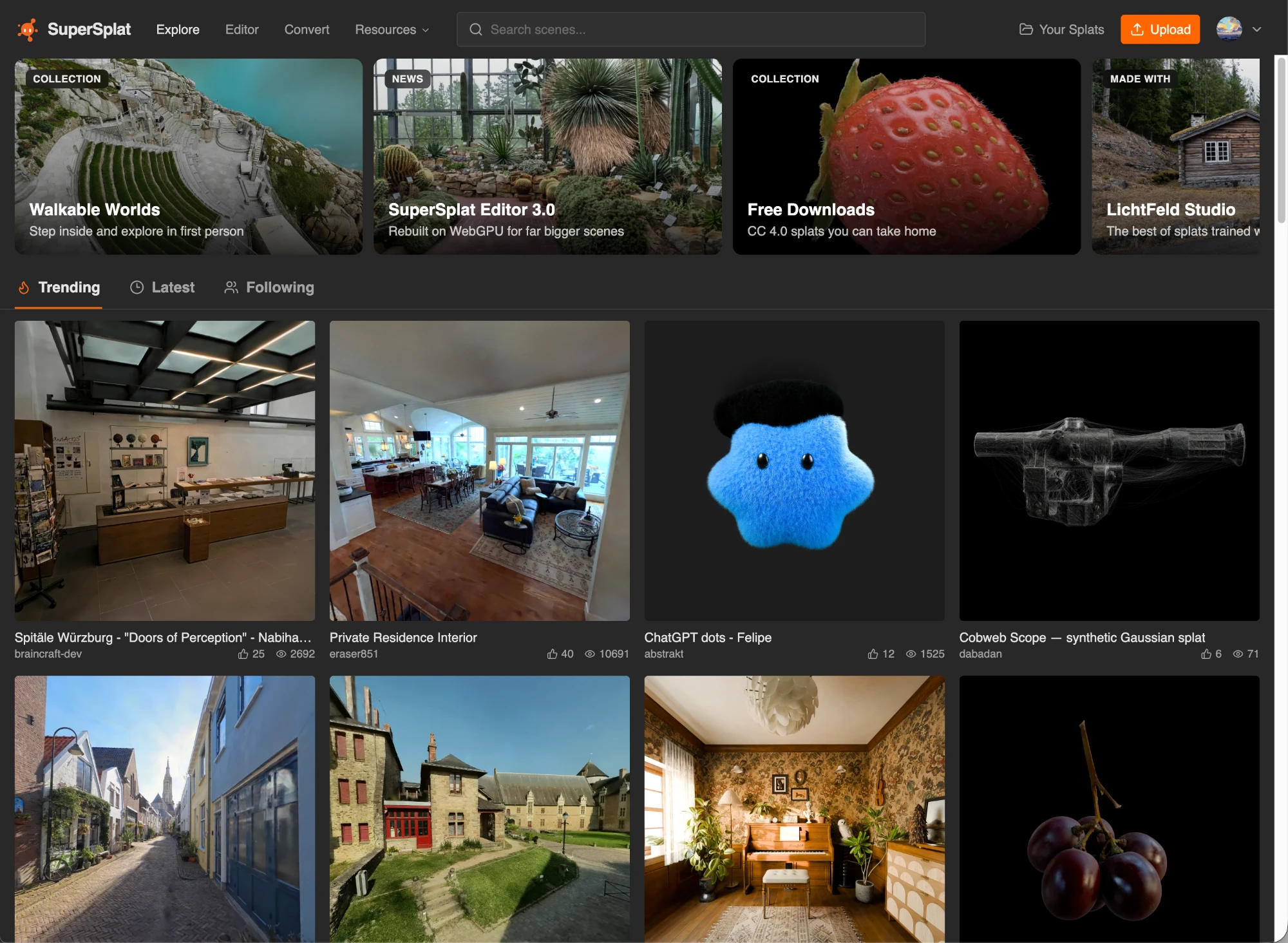
We've also reworked the home page to make discovering splats easier. Until now, every filter lived in the search bar at the top of the page. That worked once you knew it was there, but new visitors had a hard time figuring out how to find downloadable splats or simply see what was published this week.
The redesigned home page puts those common requests front and center. A Spotlight at the top collects the things people ask for most into a row of cards: walkable worlds, free downloads, the best of the week, the all-time greats and our latest news. Below it, the feed is split into Trending, Latest and Following tabs.
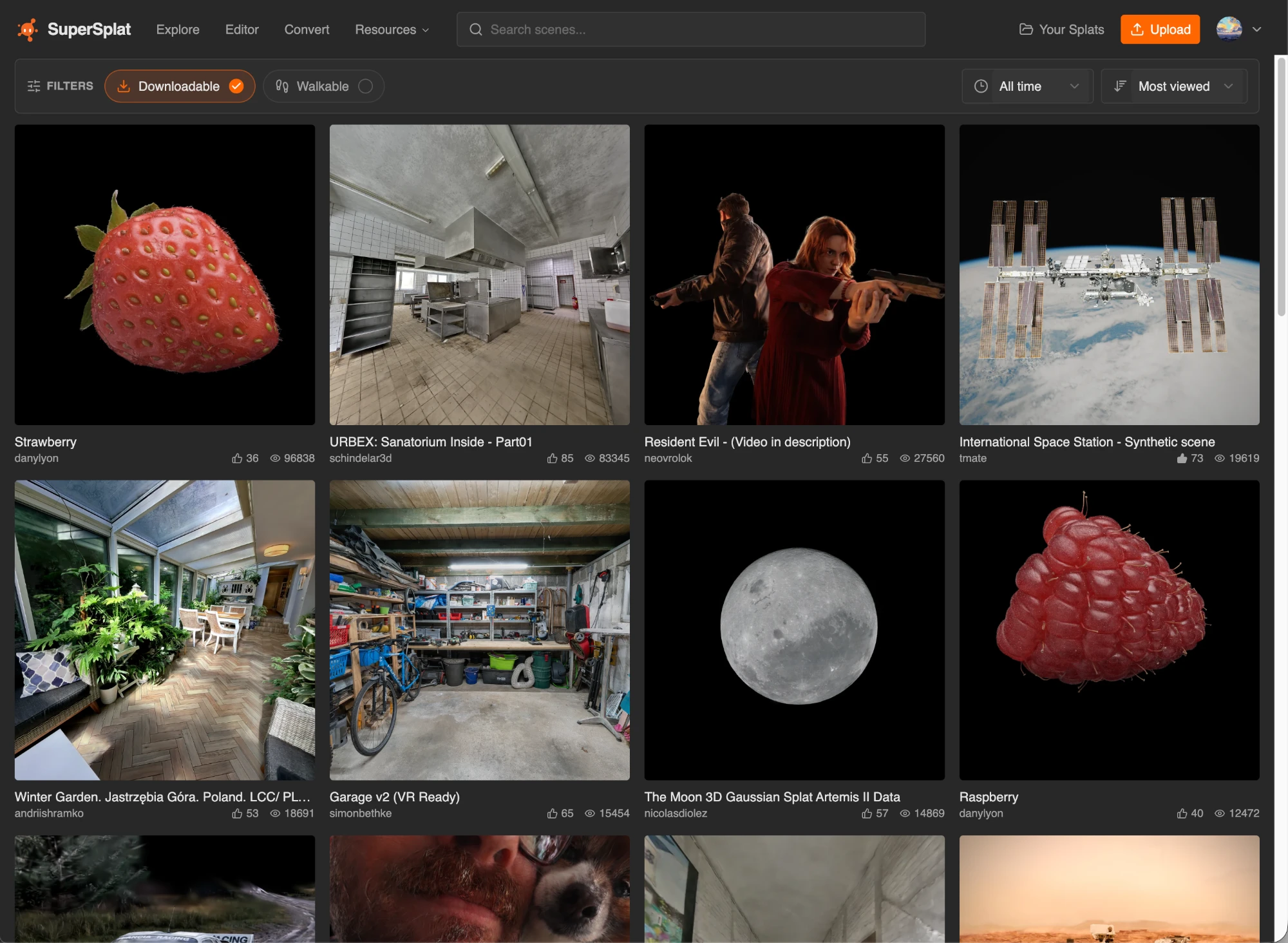
Search has a home of its own too. The new search page puts the filters out in the open instead of hiding them in a search bar. Switch on Walkable or Downloadable, choose a time period from the past day to all time and sort by whatever you care about, from most viewed and most liked to newest, oldest, largest or smallest.
🥽 Grab Your Splats in XR
Gaussian splats are at their best when you're standing inside them, so we've given the XR mode of the SuperSplat Viewer a serious upgrade. It's live now on every scene on SuperSplat, including the ones embedded on other sites.
The headline is two-handed manipulation. Squeeze both grips on your controllers (or make fists with tracked hands) and you can drag, turn and scale the whole scene, anywhere from a quarter of its size to four times bigger. Shrink a cathedral down to a model in front of you or, in AR, put an object scan on your actual coffee table. When you leave the session, the scene returns to where its creator placed it.
Standalone headsets got a lot faster. On Meta Quest, the viewer now renders within the headset's budget: up to 1 million splats, fixed foveation and a 72 Hz target. Drop the Quality setting to Performance in the viewer settings before you enter for even more headroom. Here's a large streamed scene on a Quest 3:
| Quest 3 | Frames per second |
|---|---|
| Before | 9.7 |
| Now | 30.7 |
| Now, at Performance quality | 40.3 |
That's more than three times faster out of the box and four times faster at Performance quality. There's plenty more:
- AR shows your room. The sky is hidden in AR, so the scene sits in passthrough instead of floating in a skybox. VR keeps it.
- You start facing the scene. Sessions begin looking the same way as the camera, so you never start with your back to the action.
- Scenes look the way their creators intended. Post effects and tone mapping now carry into XR and are still there when you leave.
- Look around freely. Detail is picked by distance alone in XR, so glancing over your shoulder doesn't reveal blurry low-detail splats.
- Apple Vision Pro runs XR directly on WebGPU in Safari.
To try it, open any scene in your headset's browser and tap the VR or AR button in the viewer toolbar.
SuperSplat renders with WebGPU by default, and XR on Quest currently needs WebGL. The first time you tap VR, the viewer will offer to reload with WebGL. Press OK, then tap VR again.
🧰 And More
- Splat counts on every scene. Each scene page now shows how many splats it contains, so you can tell at a glance how big a scene is and brag about it when you share. This 4 by 2 km scan of Jastrzębia Góra by Andrii Shramko weighs in at 105.9 million splats.
- Animate your scenes in Studio. Studio now has a timeline (press
T) that works much like the one in the SuperSplat Editor. - Big uploads just work. Uploads that take longer than 20 minutes no longer fail,
.spzand XGRIDS LCC2 files can now be uploaded and scenes over 40 million splats automatically get LODs so they stream smoothly. - Render camera animations from the command line. SplatTransform's new
--camera-trackoption renders an animation from your SuperSplat project to image frames, complete with depth of field and motion blur. The rendering guide shows you how.
💚 Free and Open Source
SuperSplat, SplatTransform and the PlayCanvas Engine are all free and open source under the MIT license. We believe the best tools for 3D on the web should be accessible to everyone, and the best way to make them better is together. Report an issue, open a pull request or just star the repo to show your support. ⭐
New to Gaussian splatting on PlayCanvas? Our Gaussian Splatting documentation is the best place to get started.
👂 We Want to Hear from You
Head to SuperSplat, follow a few creators and tell us who should be at the top of everyone's list. What should we build next? Come and find us on the PlayCanvas Discord or ping us on X. It's where the world's best splat creators hang out and we'd love to have you there.
See you in there!