Introducing JSON Script Attributes
· 2 min read

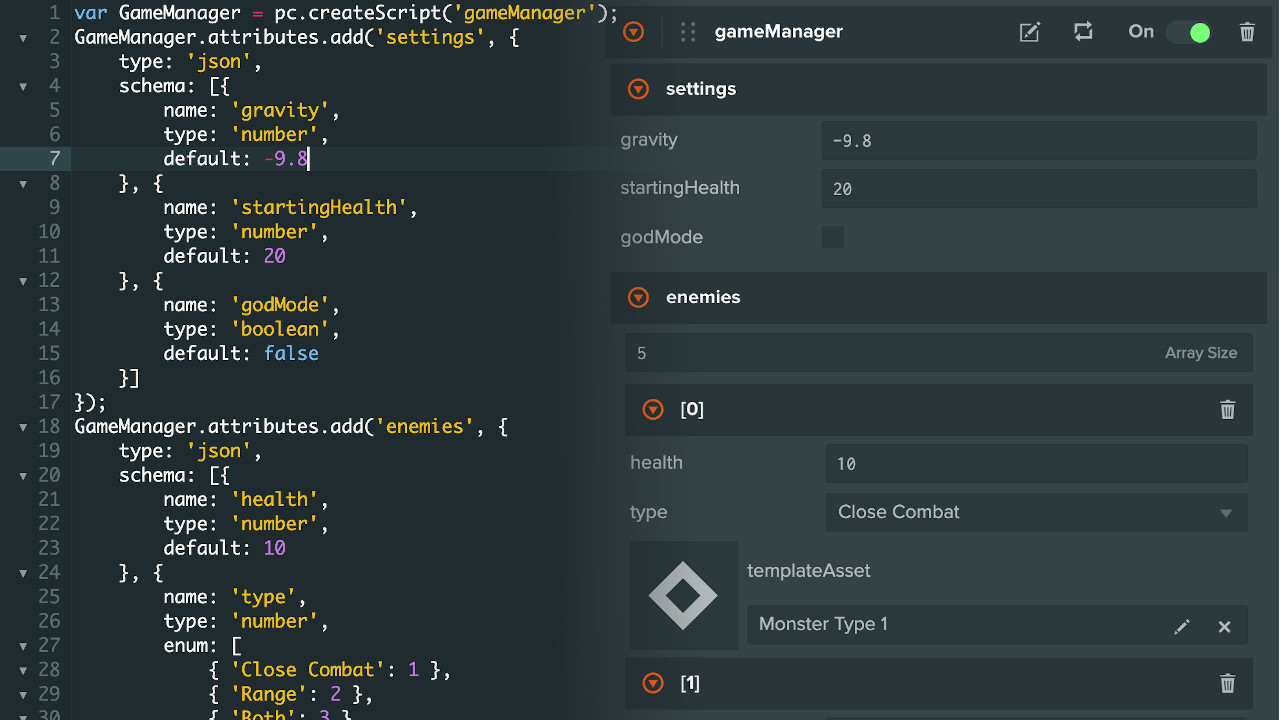
We have levelled up the Script Attributes that makes it much easier to organize and group related attributes together.
We have levelled up the Script Attributes that makes it much easier to organize and group related attributes together.
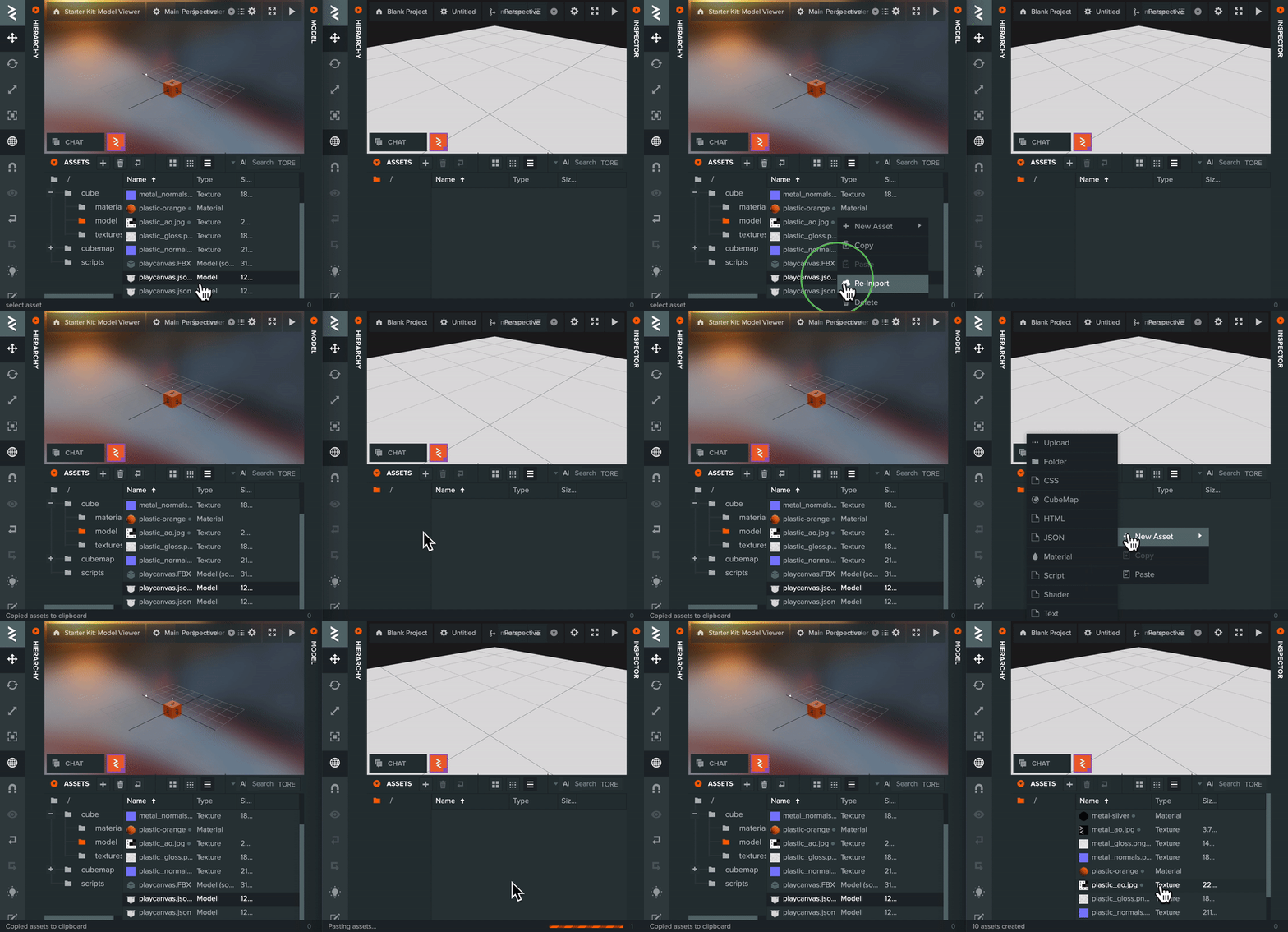
PlayCanvas has a pretty cool (but not widely known about) feature that allows you to copy and paste entities and entity hierarchy between two instances of the Editor. This can save a lot of time, particularly when setting up new projects.
Many of you have requested the ability to do the same with assets. Well, we listened - and now you can! 🚀
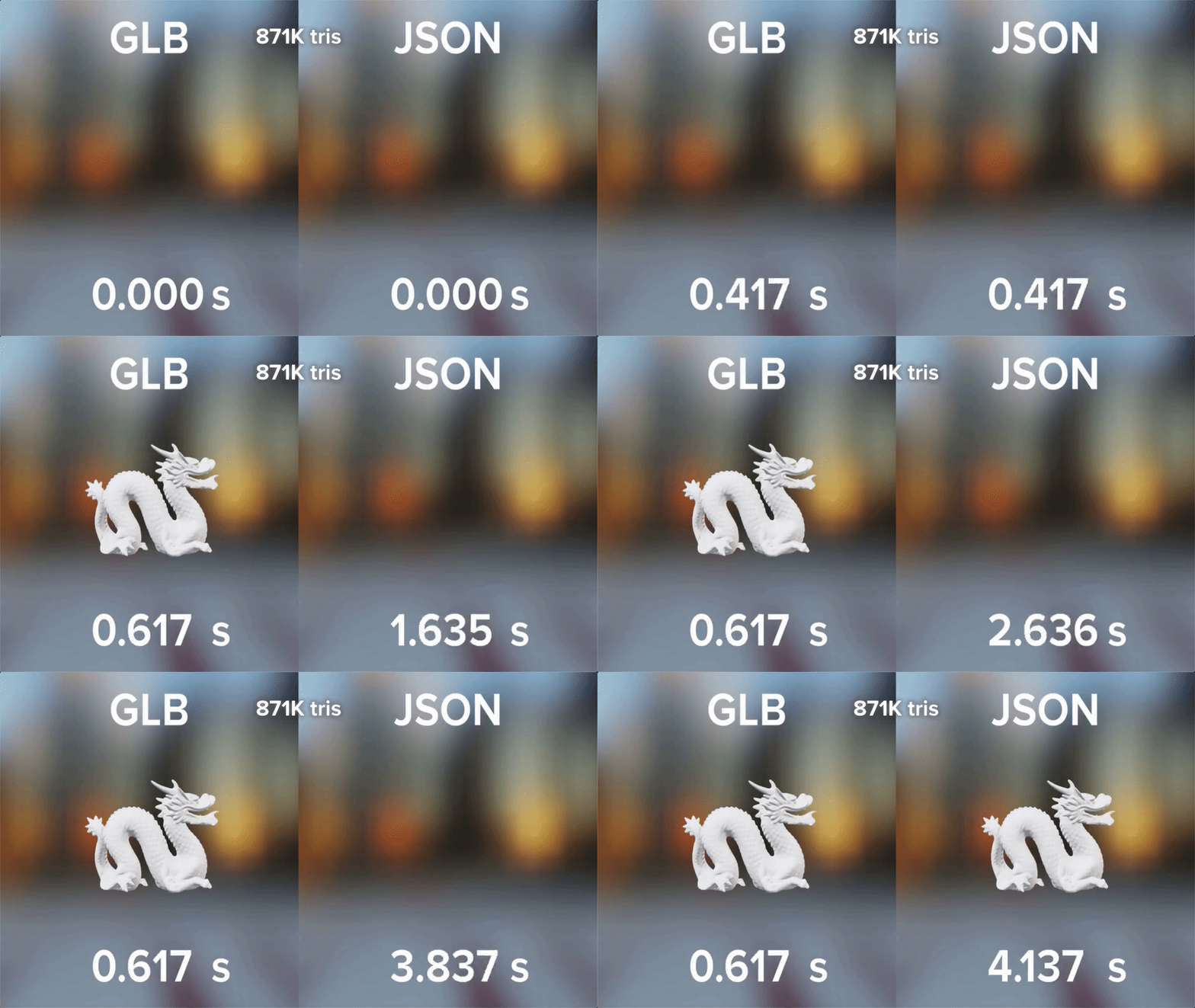
The PlayCanvas team is super excited to announce the Editor support of glTF GLB conversion with model and animation imports.
This gives developers an order of magnitude reduction in load times compared to the JSON format while keeping similar gzipped download size.

It’s finally here! The PlayCanvas team is very excited to announce the public release of our new Templates feature! 🎉

The PlayCanvas Editor has been around since 2011. Way back then, it was called the PlayCanvas Designer. It was built on Sencha's ExtJS front end framework and looked like this:
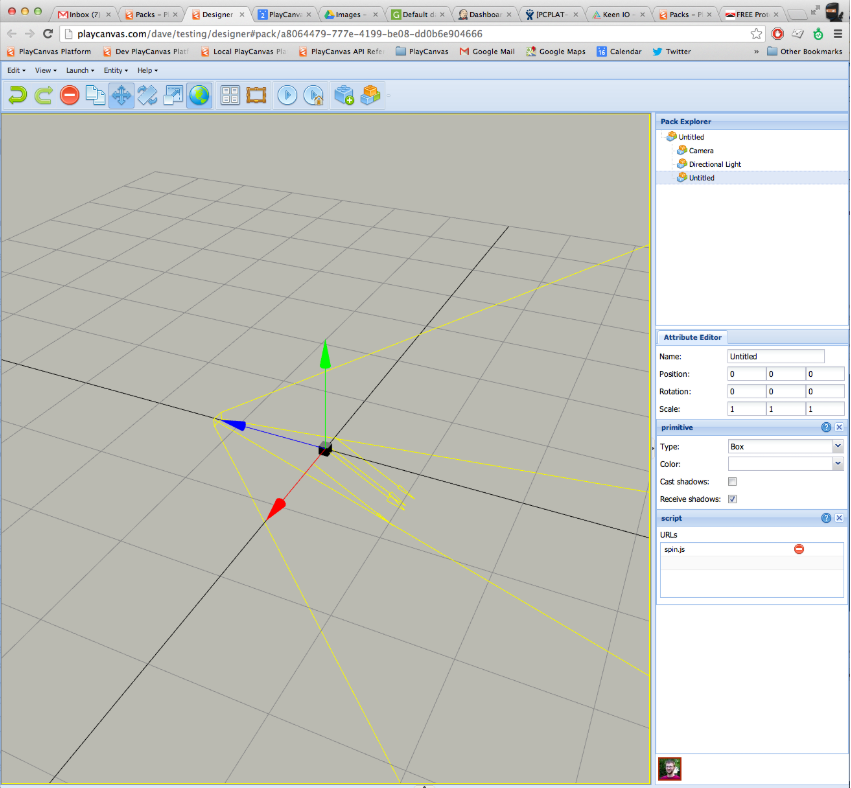
Are you shipping your PlayCanvas app or game in just one language? You may be preventing international users from enjoying it! Today, we are happy to announce the arrival of a localization system built right into the PlayCanvas Editor!

PlayCanvas-powered Bitmoji Party localized into English, Spanish and French

One of our most requested features has always been for more advanced version control features. We're very pleased to announce that from today we now have built in version control throughout the PlayCanvas Editor. Integrated support for branches, merging and checkpoints brings a host of new workflow options for your team and we're confident that it's going to be a huge productivity multiplier for your HTML5 games and 3D applications.
Iterating on your PlayCanvas game just got a whole lot faster!
When you launch a scene from the PlayCanvas Editor, a set of assets has to be loaded. Non-script assets are loaded from the browser's memory cache. However, script assets each generate a round trip request to the server. For projects with a lot of scripts, the load time can be long and your ability to iterate is going to suffer.
Today, we're pleased to announce that we have deployed an update that introduces a lightning fast build step when you launch your scene that concatenates scripts into a single file. This means that only one HTTP request is made for scripts regardless of how many you have.
PlayCanvas is one of the most popular ways to build 3D interactive web content today. But before 3D graphics was a thing, there was 2D graphics!
Today we're excited to launch the first part of our 2D graphics support. Great for building classic 2D games.

Building user interfaces in graphical applications provides a unique challenge. Today we're pleased to launch two new components to help you build user interfaces inside your WebGL application.